
Chrome extension · early access
LinkedIn, in X's interface.
Same feed. Zero clutter.
You already know how X feels: a rail on the left, one column in the middle, black background, nothing fighting for your attention. Feedwing lays LinkedIn out exactly like that. Your posts, your DMs, your network, none of the noise.
- Left nav rail with a Post button. One 600px feed column. Panels on the right.
- A real Lights-out theme, built from LinkedIn's own colour tokens, not a filter.
- Messages become a chat: sticky list, bubbles, one-line compose, no sponsored InMail.
Built by Sanskar Tiwari. 10 products, ~61k followers, and a LinkedIn feed I could finally look at.
Early access
₹899one-time
- The extension, today. Zip + install steps in your inbox.
- Chrome Web Store version when it's approved, free.
- Every update, forever. LinkedIn changes, I fix it.
- Log in with the email you pay with. That's the licence, no key to paste.
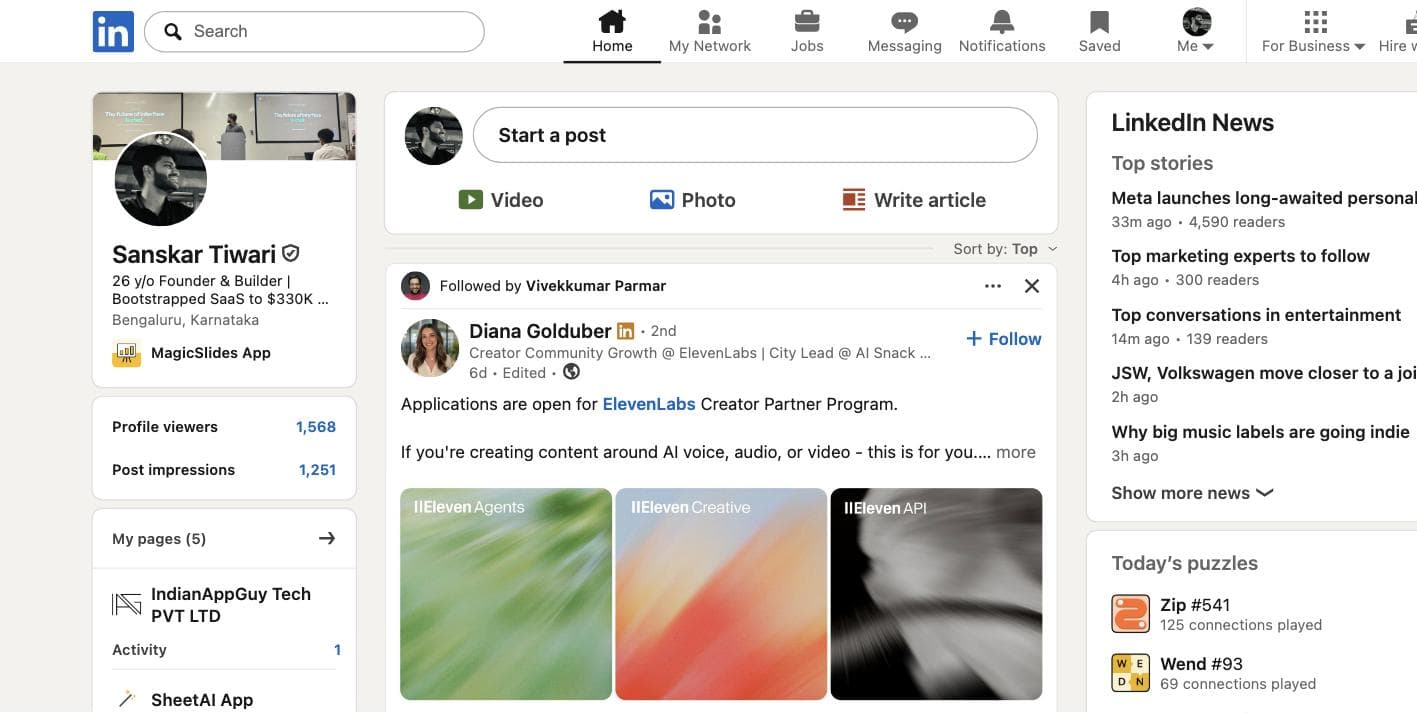
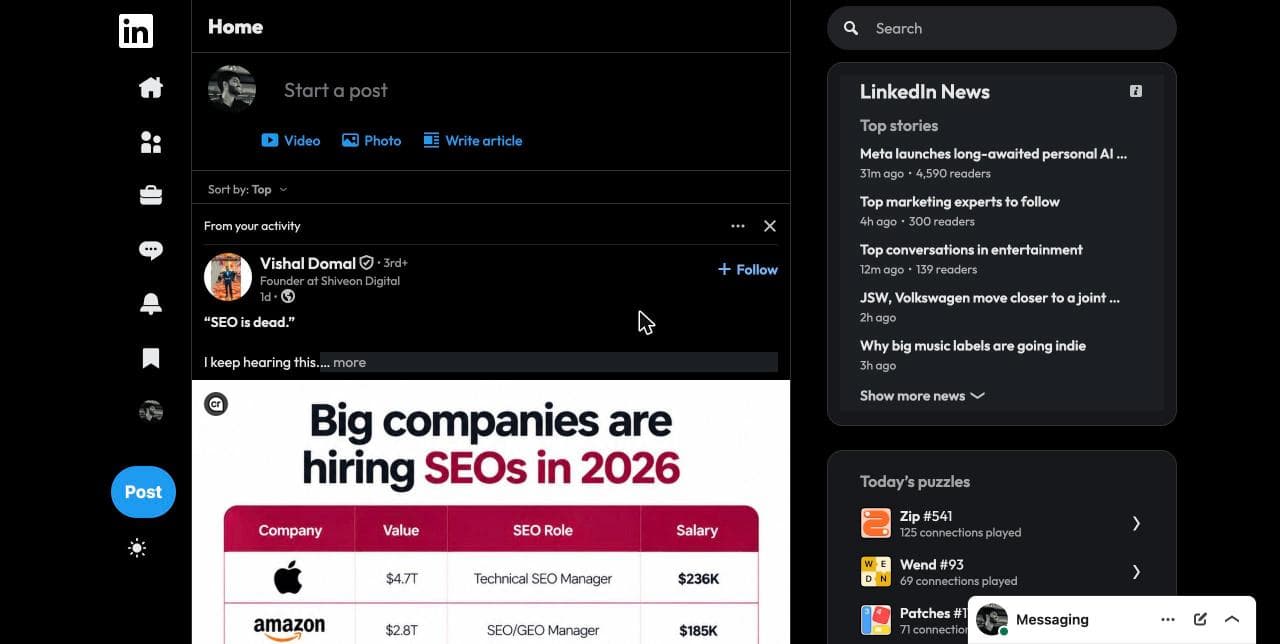
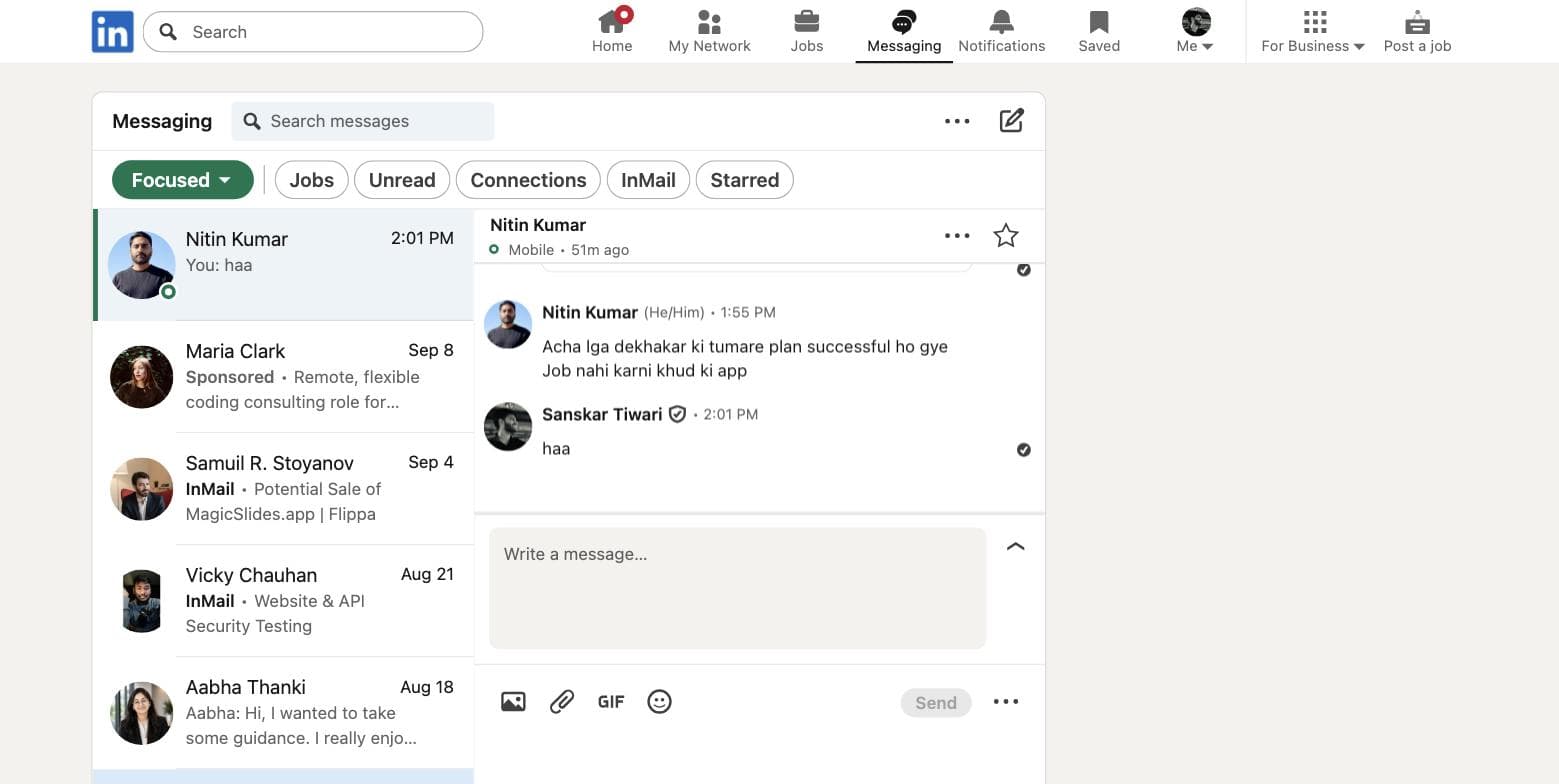
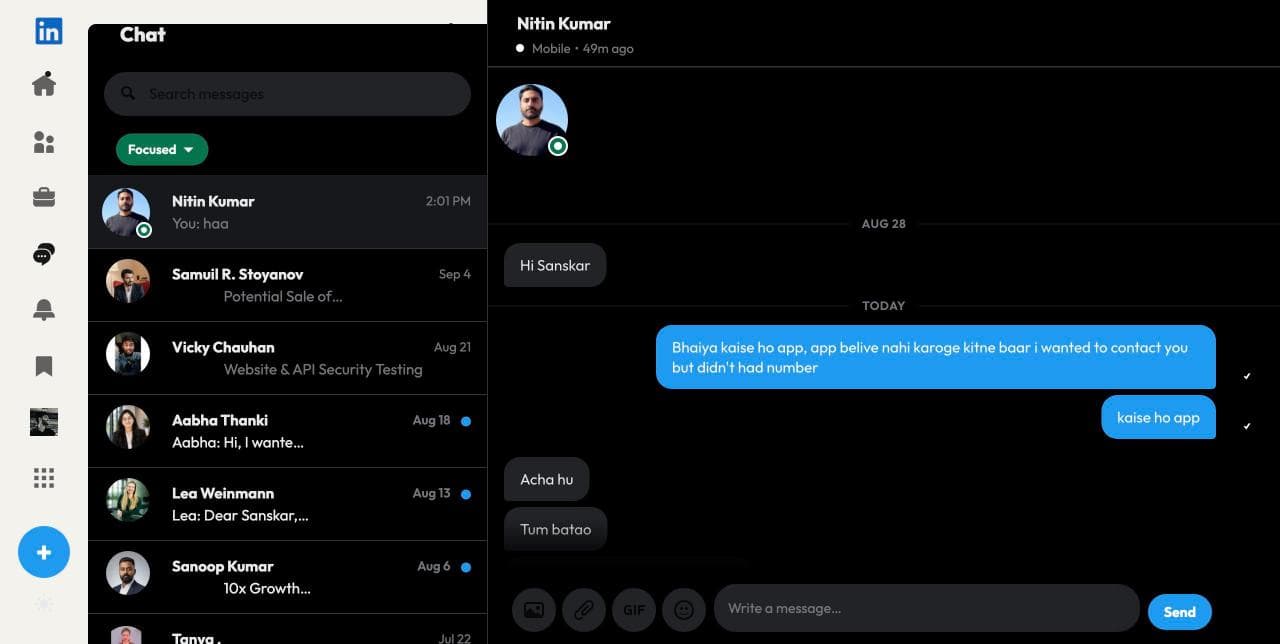
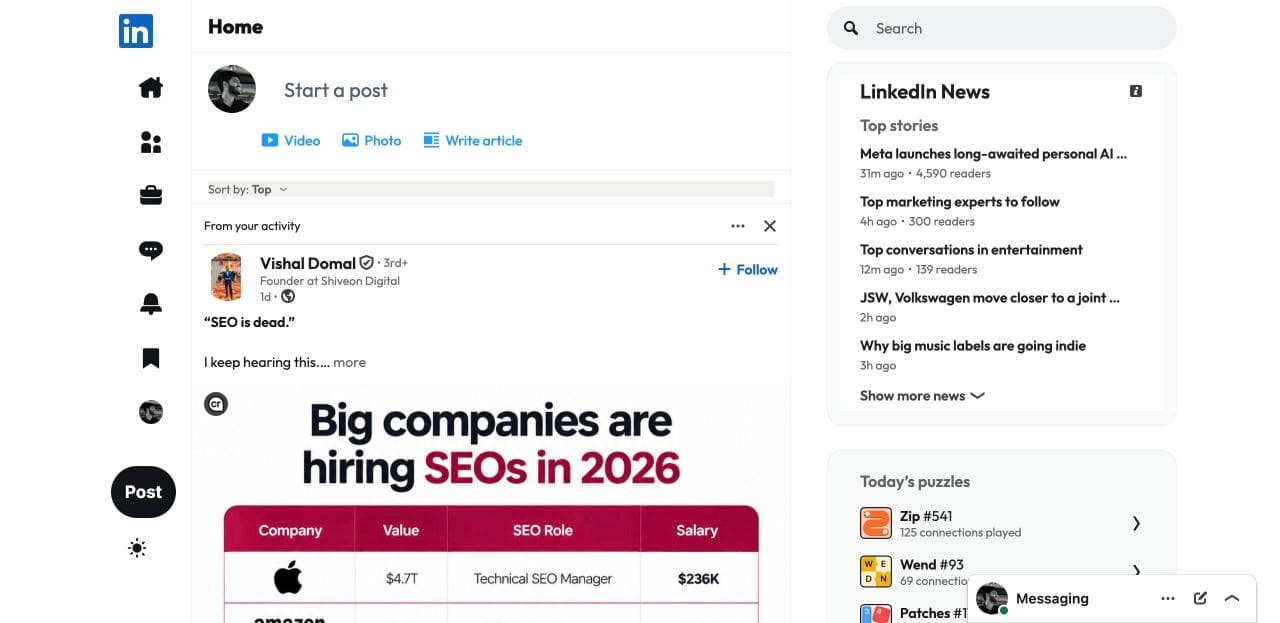
Prefer light? One click on the rail cycles System → Light → Lights out.
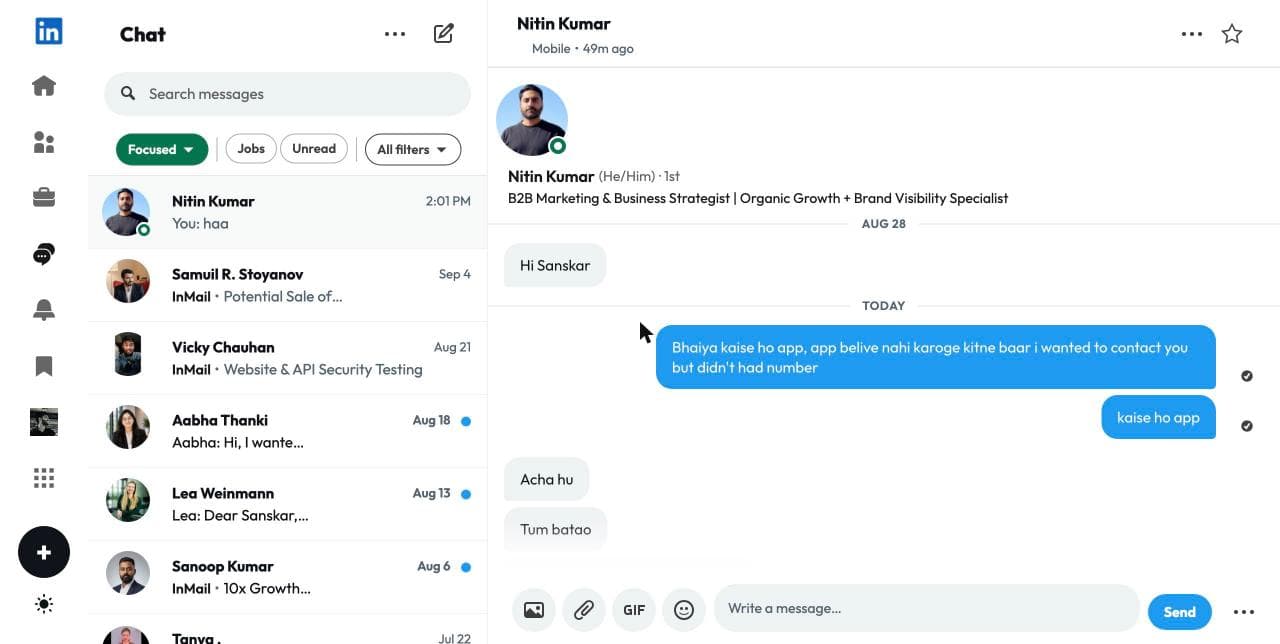
Messages in light. Same chat layout, X's light greys. Fonts: Outfit, Inter, or your system font.
What ₹899 gets you
Layout
- Left rail with a Post button, one 600px feed column, right panels
- Sticky page header, flat posts with hairlines, no cards
- Profile, activity, jobs, notifications, all regridded the same way
Messages, themes, fonts
- X-style chat: bubbles, sticky list, one-line compose, sponsored InMail hidden
- Lights out, light, or follow your system
- Font picker: Outfit, Inter, System
- Every update, forever. LinkedIn changes, I fix it.
Installed in about a minute
- 1
Pay, get the zip
The download link shows up right here after payment, and lands in your inbox too.
- 2
Load it in Chrome
Unzip, open chrome://extensions, turn on Developer mode, click Load unpacked, pick the folder. Web Store link coming, same purchase.
- 3
Log in, open LinkedIn
Click the Feedwing icon, enter the email you paid with, type the one-time code. LinkedIn looks like X from that moment.
Why I built it
I live on X. I have to be on LinkedIn. Every time I opened it the layout fought me: three columns, cards inside cards, a grey that isn't light or dark, an inbox that looks like a spreadsheet.
So I asked a simple question: what if LinkedIn just used X's interface? Rail on the left, one column, black. Turns out LinkedIn already ships a full dark palette in its own code and never turns it on. Feedwing turns it on, then rearranges the page.
It changes nothing about what LinkedIn does. Same posts, same DMs, same buttons. It only changes how it looks on your screen. No scraping, no automation, no data leaves your browser.
Questions
Will this get my LinkedIn account restricted?
No. Feedwing only changes how pages look in your browser, the same way Dark Reader or Stylus do. It sends nothing to LinkedIn's API, never posts, likes, connects, or reads data on your behalf. LinkedIn's restrictions target bots and scrapers.
What does it access?
It runs only on linkedin.com. One permission: local storage for your settings and login. The login is a one-time code to the email you paid with, and that's the only thing it ever sends anywhere.
Why not free?
Because LinkedIn will change their markup and someone has to keep this working. One payment buys the extension plus every update, and pays for the Web Store listing. I only build on the things people pay for.
Can I switch back to normal LinkedIn?
One switch in the popup. Off means stock LinkedIn, instantly, in every tab.
Is the font the same as X?
X uses its own typeface, Chirp, which nobody else can ship. Feedwing bundles Outfit and Inter, the closest open fonts, and you can pick either or your system font.
Which browsers?
Chrome, and anything Chromium: Brave, Edge, Arc. Not Safari or Firefox yet.
Refunds?
If it doesn't work on your LinkedIn within 7 days and I can't fix it, full refund. Mail indianappguy@gmail.com.
Early access
₹899one-time