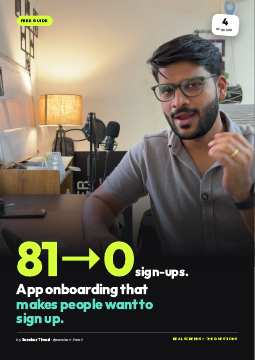
81 installs for $5. Zero sign-ups.
I ran a Google App campaign for MagicSlides at $5 a day. The next day: 81 installs at 6 cents each. Cheap. Then I looked at sign-ups. None of the 81 came from the ad.
The first screen was sign-up
The ad did its job: a good title made them think “OK, let me try this.” Then the app opened on “Sign in to build your first deck”. They hadn’t seen anything yet, so they had no reason to give me their email.
The data said the same
App opens went up from 113 to 171 that day. Sign-ins went down from 9 to 7. More people, fewer sign-ups.
113 → 171 app opens in a day
9 → 7 sign-ins on the same day
The lesson: an install is not intent. Someone who taps “Install” on an ad is curious, not committed. Your first screens have to turn curious into “this is for me” before you ask for anything.
First screen = what the app does.
The new first screen shows the product working: a topic goes in, a deck comes out. They tap Continue, Continue, Continue through 4 swipeable screens. No sign-up screen yet.
1. Any topic, a full deck in 60 seconds 2. 500+ templates, looks designed 3. Any language, any length 4. Edit, export to PowerPoint
One promise per screen Each screen answers one doubt: is it fast, does it look good, does it work in my language, can I edit it.
Real product, not icons Every mock is built from real decks the app made. People believe what they can see.
Keep a “Sign in” link Top right, small. Returning users skip straight in, and new users don’t feel trapped.
4 screens, not 10 Enough to show the value. The questions do the rest.
Still no sign-up. Ask what they need.
I copied this from apps that scaled. I follow the guy who built Cal AI, and they are very rigorous about onboarding: a long quiz before you see anything else. You have onboarding, then you have onboarding questions. The questions have to make the user feel the app is right for them.
Old questions (helped me) New questions (help them) How did you find us? How many presentations do you make a month? What kind of deck do you want? How long does one take you today? What is an hour of your time worth? Which part takes you the longest? What is your next deck for? What’s it about?
Time per deck Value of an hour (₹ in India, $ elsewhere) The hardest part Their first deck’s topic
Each answer is one tap, with an optional note. The last one asks for the topic, so their first deck builds right after sign-in. They never land on an empty screen.
“MagicSlides saves you ₹13,400 a month.”
The end screen turns their own answers into a number. Not my claim, their maths.
7 decks a month (“5 to 10”) × 2 hours each (“1 to 3 hours”) − 5 minutes each with MagicSlides = 13 hours back a month × ₹1,000 an hour (“₹500 to ₹1,500”) = ₹13,400 a month · ₹1,60,800 a year
Only now: sign up
Below the number: their first deck’s topic and “Build my deck”. Sign-in comes after they’ve decided they want it.
- Pick the outcome your app gives (time, money, calories)
- Ask 2–3 questions that size it
- Show one big number, in their currency
- Add 2–3 small stats under it
- Say how you got the number
- One button: start the thing they asked for
“More questions = fewer sign-ups?” Good.
You might think adding so many questions will kill sign-ups. Maybe it will. But I don’t want people who were never going to make a deck. They cost server time and they never pay. I want people who came for the thing.
Don’t count sign-ups
Count first deck made per install. That’s activation, and it’s what turns into paid.
Track every screen
I log an event per onboarding screen, so I can see exactly where people drop off.
Reuse the number
The ₹13,400 is saved on the phone. The upgrade screen quotes it back later.
Resume, don’t restart
If they close the app halfway, it reopens on the same question.
- Remove sign-up from screen 1
- 3–4 screens showing the real product
- 4–6 one-tap questions about them
- A result screen with their number
- Sign-up, then straight into their first win
- Measure activation, not sign-ups
Updating
This guide is live. I’ll add the before/after numbers from the new flow as they come in. Same link.