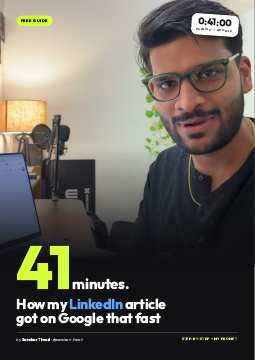
Parasite SEO · LinkedIn → Google
My LinkedIn Article Was on Google in 41 Minutes
by Sanskar Tiwari · @sanskarr.tiwari on Instagram
I wrote one article on LinkedIn for the keyword “ai caller” (2,400 searches a month in India). 41 minutes after I submitted the URL, it was indexed and ranking on Google. My own sites take weeks to get a new page indexed. Here is exactly how I did it, step by step.
The whole thing in one line: pick a keyword → write the article on LinkedIn with the keyword as the title → push the URL through an indexer → check Google 40–60 minutes later.
Why this works
This is called parasite SEO: you publish on a site Google already trusts and borrow its authority. A brand-new page on yoursite.com has none. A page on linkedin.com/pulse/ sits on one of the most trusted domains on the internet.
Where I learned it
From Cody Schneider on a live call with Eric Siu. He wrote an article for “Facebook ads for kitchen remodeling”, published it on LinkedIn, ran it through Prime Indexer and it was position 1, 38 minutes later. I copied the method for my own product, CallSimple, to see if it holds up outside his demo. It did.
@sanskarr.tiwari · instagram.com/sanskarr.tiwari 01
Step by Step LinkedIn → Google
Pick a keyword page 1 has no article for 10 minutes
Open Google Keyword Planner (free with any Google Ads account), set the country, and look up the words your buyer types. Then Google each one and look at page 1.
- Good sign: page 1 is only product homepages. That was “ai caller”: 2,400/mo, +132% a year, and zero articles on page 1. Google has nothing to show for “explain this to me”, so your article fills the gap.
- Bad sign: page 1 is already full of big blogs (HubSpot, Forbes, Wikipedia). Skip it, pick a longer version of the phrase.
- Sweet spot: 500–5,000 searches a month, rising, and tied to something you actually sell.
Copy what page 1 already says 5 minutes
Open the top 5–6 results and save the text of each page. Google is already telling you what shape of content it wants for this keyword, so give your AI exactly that as source material. For “ai caller” I saved 6 pages: aicaller.io, callers.ai, Genspark and three others.
Write it with Claude, plus your own view 5 minutes
Paste the page-1 text and a few lines about what you know that they don't. That second part is what makes it yours and not a copy.
The prompt I used
Write a LinkedIn article for the keyword "ai caller".
The title must be exactly: AI Caller

Below is the text of the 6 pages ranking on Google page 1
right now. Cover what they cover, but explain it better and
plainer. Then add my point of view:
- I build CallSimple, an AI caller for Indian (+91) numbers
- [3-5 lines: what you've seen, who it's for, what's missing]

Rules: short paragraphs, real examples, no hype words,
one link to my product near the end.

--- PAGE 1 TEXT ---
[paste]
Honest note: I published the very first draft without changing a word. It still got indexed in 41 minutes. Editing makes it rank higher, but it is not what gets it indexed.
@sanskarr.tiwari · instagram.com/sanskarr.tiwari 02
Step by Step LinkedIn → Google
Publish on LinkedIn, keyword as the title 5 minutes
- On LinkedIn: Write article (on desktop, from the post box). It has to be an article, not a normal post.
- Title = the exact keyword. “AI Caller”, nothing more. The title becomes the URL: linkedin.com/pulse/ai-caller-sanskar-tiwari-y6taf.
- Add a cover image and paste the article. Put one link to your product near the end, with a UTM tag so you can see the visits: ?utm_source=linkedin&utm_campaign=ai-caller
- Publish from your personal profile, not a company page.
I didn't even do this part by hand: Claude controlled my Chrome through the Claude in Chrome extension, pasted the article, uploaded the cover and hit publish.
Push the URL through Prime Indexer 2 minutes
Google doesn't crawl a new LinkedIn article on its own for days. An indexer pings Google about the URL until it gets crawled.
Never use an indexer on your own website. Use it only for pages on other platforms (LinkedIn, Medium and so on). That rule came straight from the people who taught me this.
Check Google 40–60 minutes later 1 minute
- Search site:linkedin.com/pulse ai-caller first. If it shows up, you're indexed.
- Then search the keyword itself in an incognito window and find your position.
- Mine: submitted at 15:42, indexed and ranking by 16:23. 41 minutes.
@sanskarr.tiwari · instagram.com/sanskarr.tiwari 03
What I Learned LinkedIn → Google
It won't be #1 on day one
My first check showed page 3. Cody hit #1, but his keyword had almost no competition. Expect to land somewhere, then climb.
Indexing is the hard part, and it's solved
Getting found by Google used to take weeks. Now it takes under an hour. Ranking higher is just improving one page.
The first draft was enough to get in
Zero edits and it still got indexed. Once it's in, rewrite the weak parts and add your own screenshots and numbers.
Pick gaps, not fights
A keyword where page 1 is all homepages is easy to get into. One where page 1 is all big blogs is a waste of a credit.
1–2 articles a day, max
Don't flood your LinkedIn profile with 20 SEO articles in a day. Slow and steady looks normal and keeps the account safe.
Every article points to one product
Ranking is worth nothing if no one clicks through. One clear link, UTM-tagged, to the product the keyword is about.
Your checklist
- Find one keyword in Keyword Planner, 500–5,000/mo, rising
- Google it: page 1 has no proper article on it
- Save the text of the top 5–6 pages
- Prompt Claude with that text + your own point of view
- Publish as a LinkedIn article, title = exact keyword
- One UTM-tagged link to your product inside
- Submit the URL to Prime Indexer (never your own site)
- Check site: search and your position after 40–60 min
Want more like this? I post what I'm testing on SEO, ads and building with AI every day on Instagram at @sanskarr.tiwari. The product in this guide is CallSimple (callsimple.app), an AI caller that rings any Indian number for you and brings back the answer.
@sanskarr.tiwari · instagram.com/sanskarr.tiwari 04