
Chrome extension · early access
LinkedIn has no Save button.
So I built one.
Today, saving a post on LinkedIn is three clicks hidden inside the three-dot menu. Instagram has one tap. This puts a bookmark icon right next to Like, Comment, Repost and Send. One click, saved.
- Saves to LinkedIn's own Saved list, so it works on every device.
- Icon fills blue when saved. Click again to unsave.
- A Saved tab in the top nav, so you can actually find them again.
Built by Sanskar Tiwari. 10 products, ~61k followers, and a LinkedIn Saved list I could never find.
Early access
₹899one-time
- The extension, today. Zip + install steps in your inbox.
- Chrome Web Store version when it's approved, free.
- Every update, forever. LinkedIn changes, I fix it.
- Log in with the email you pay with. Your saves stay on LinkedIn.
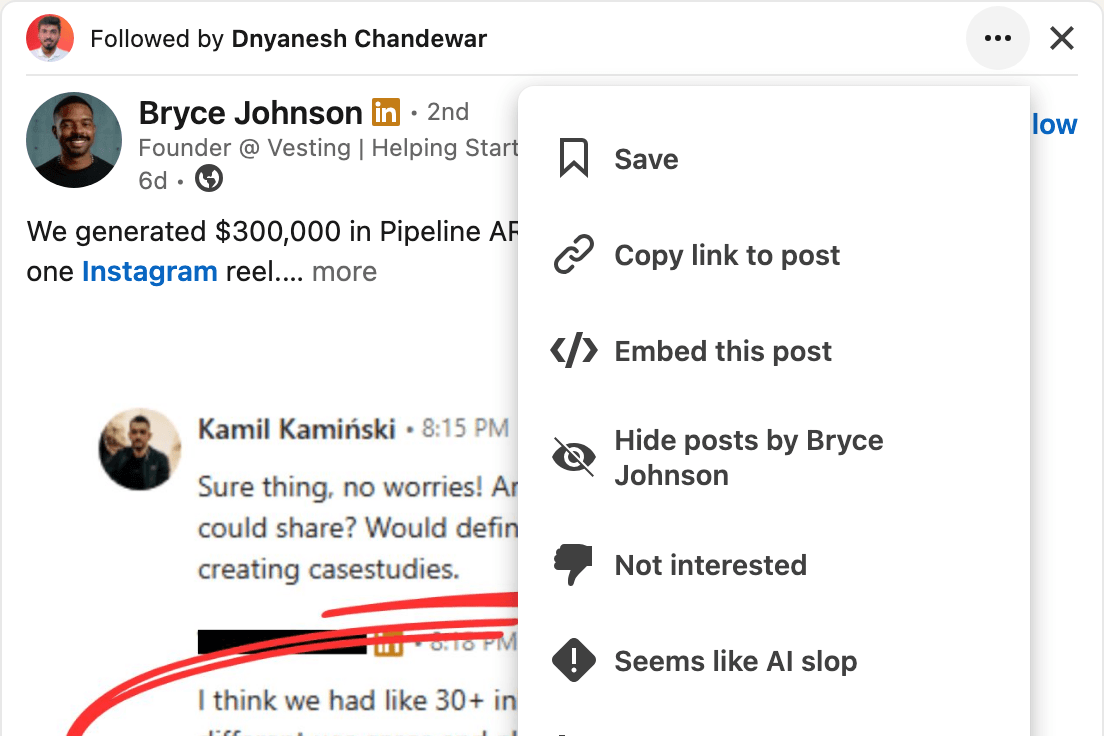
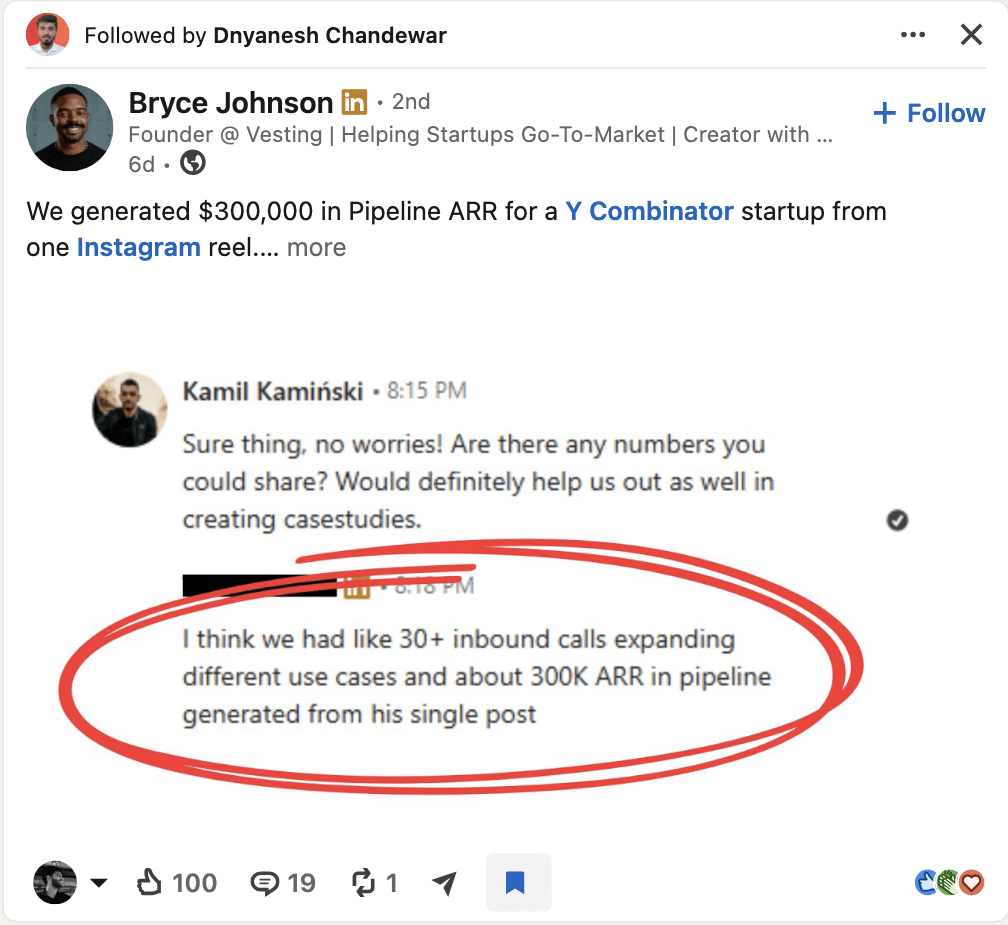
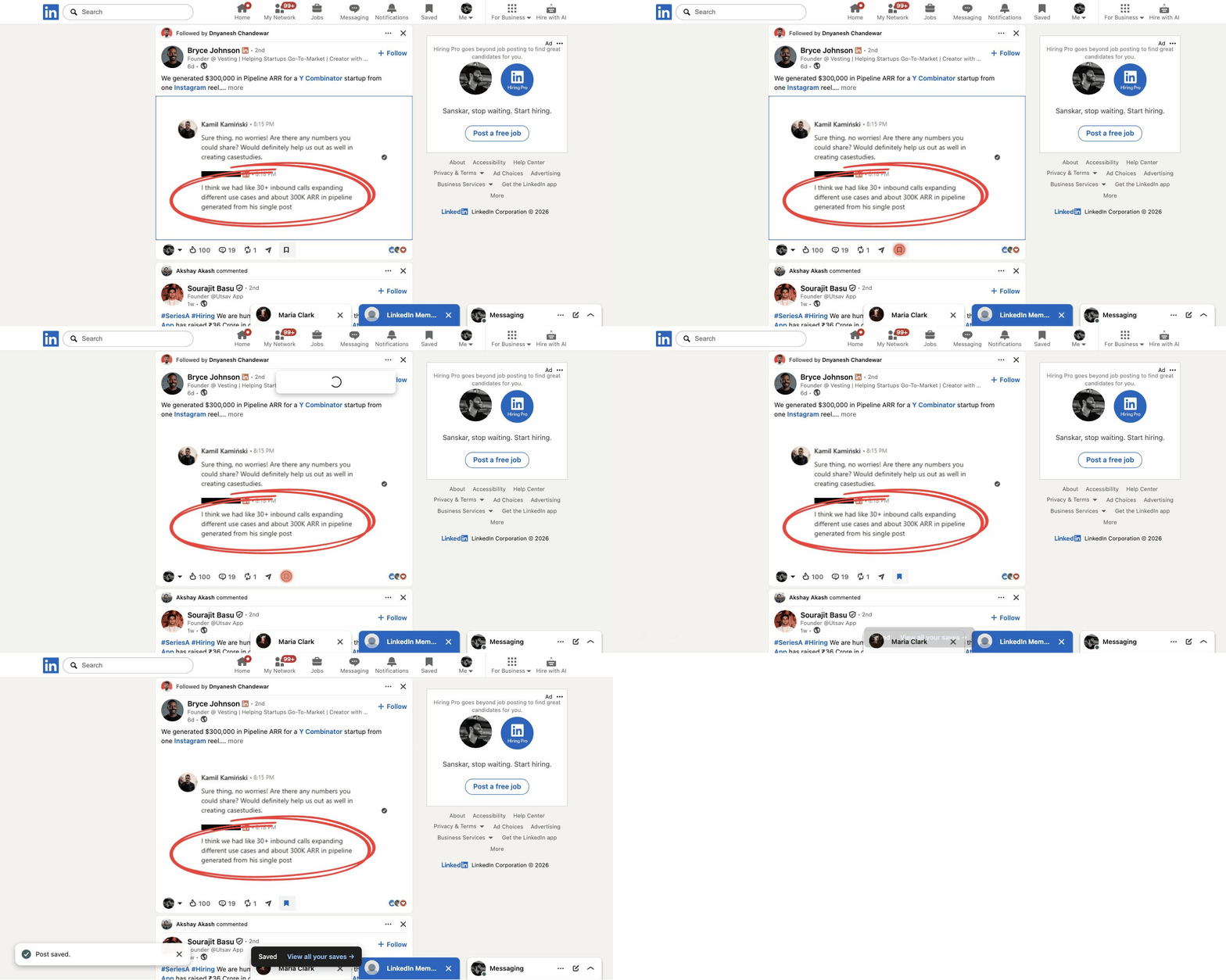
Recorded on my real feed. LinkedIn's own Post saved toast fires, because it's LinkedIn's own save.

A Saved tab in the nav, between Notifications and Me. One click from anywhere on LinkedIn. Cloned from LinkedIn's own nav item, so it matches.
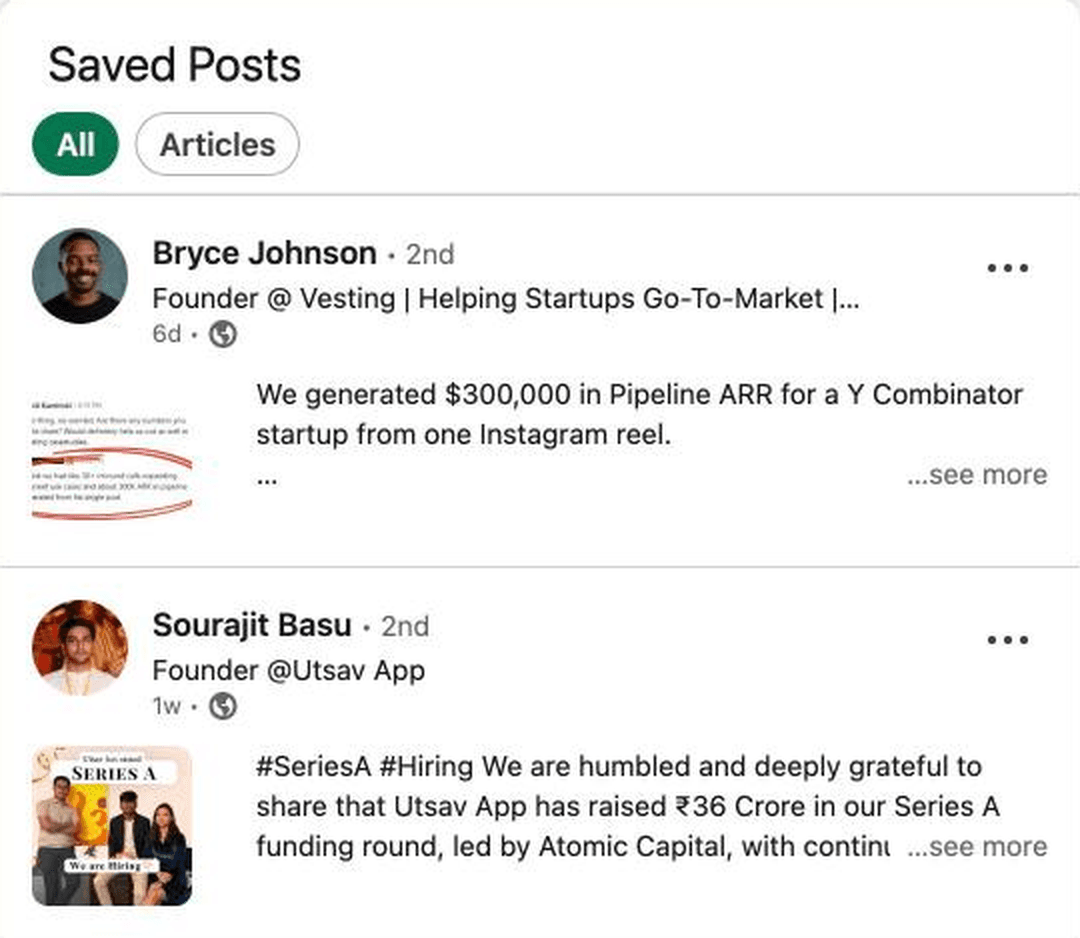
Where it lands: LinkedIn's native Saved Posts page. Synced to the mobile app too.
Installed in about a minute
- 1
Pay, get the zip
The download link shows up right here after payment, and lands in your inbox too.
- 2
Load it in Chrome
Unzip, open chrome://extensions, turn on Developer mode, click Load unpacked, pick the folder. Web Store link coming, same purchase.
- 3
Log in, open LinkedIn
Enter the email you paid with, type the one-time code. The bookmark icon is under every post. Click it. Check the Saved tab.
Why I built it
I scroll LinkedIn for founder posts, ad breakdowns, hiring threads. Good stuff I want back later. Every time, it's: find the three dots, open the menu, click Save. By the third one I stop bothering.
Instagram fixed this years ago with one bookmark icon. So one evening I opened Claude Code, inspected LinkedIn's feed, and shipped the button LinkedIn should have. It clones LinkedIn's own button styling, so it doesn't look bolted on.
Early access means you get it now, direct from me, before the Web Store listing goes live. When LinkedIn changes their markup (they will), you get the fix in your inbox.
Questions
Where do my saves go?
To LinkedIn's own Saved posts page, the same one you get from the three-dot menu. The extension triggers LinkedIn's real Save, so your list syncs to the mobile app too. The Saved tab it adds just links there.
Is it safe? What does it access?
It runs only on linkedin.com and asks for one permission: local storage, to remember which posts you saved. Login is a one-time code to the email you paid with, and that's the only thing it ever sends anywhere. No tracking, no reading your feed. You can read every line, it's three small files.
Why not free?
Because LinkedIn will change their feed and someone has to keep this working. ₹899 once buys the extension plus every update, and pays for the Web Store listing.
Which browsers?
Chrome, and anything Chromium: Brave, Edge, Arc. Not Safari or Firefox yet.
Why is it a zip and not a Web Store link?
The Web Store review takes a while. Early access buyers get the zip today and the Web Store version when it's approved. Load unpacked takes about a minute.
Refunds?
If it doesn't work on your LinkedIn within 7 days and I can't fix it, full refund. Mail indianappguy@gmail.com.
Early access
₹899one-time