
How I Run My Meta Ads From a Chat With Claude
On this page
I am not an ads person. I never learned what a good CPM is, and for a long time my ads were either not running or running badly.
What changed: Ads Manager is now just where the data lives. The managing happens in a chat. I ask Claude what happened yesterday, it pulls the numbers, tells me what it would change, and I say yes or no.
This post is the routine I actually follow, the prompts I use, and the safety rules I would not run it without.
Why a chat works better than the dashboard (for me)
Ads Manager is built for people who already know what they are looking for. Even after picking columns and date ranges, you still have to decide what the numbers mean.
Here is one of my accounts: 51 ad sets in 30 days. All the data is there. None of it tells me what to do this morning.
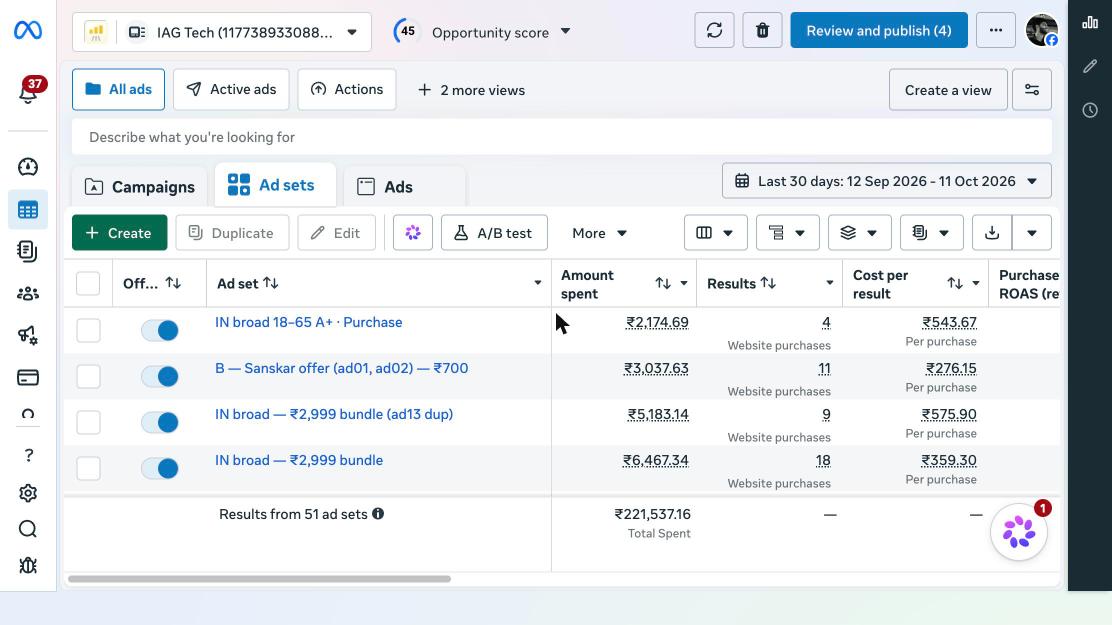
Most of my questions are simpler than that:
- Did anything spend money and make nothing?
- Is anything "active" that is not actually delivering?
- Which ad is carrying the campaign?
- Should I move budget, and how much?
Claude can read the same data, compare it across campaigns in seconds, and explain it in plain English. I just have to be clear about what I want and keep the final say on anything that touches money.
My setup
There are two ways to give Claude access to your Meta ads.
The first is the browser route: Claude Code controls Chrome and clicks around Ads Manager for you. This is how I started. It works, but it is slow and breaks when Meta moves a button.
The second is a connector that talks to the Meta Marketing API directly. You connect your ad account once, and from then on any AI app that supports connectors can read your campaigns and make changes through proper tool calls. No clicking, no screenshots.
Day to day I use the second one. I ended up building the connector myself, TalkToAds, because I wanted it to work the same way in Claude, ChatGPT, Claude Code and Cursor, and I wanted every change to start paused until I approve it. Whatever tool you pick, look for those two things: it should work where you already chat, and it should never push a live change without your yes.
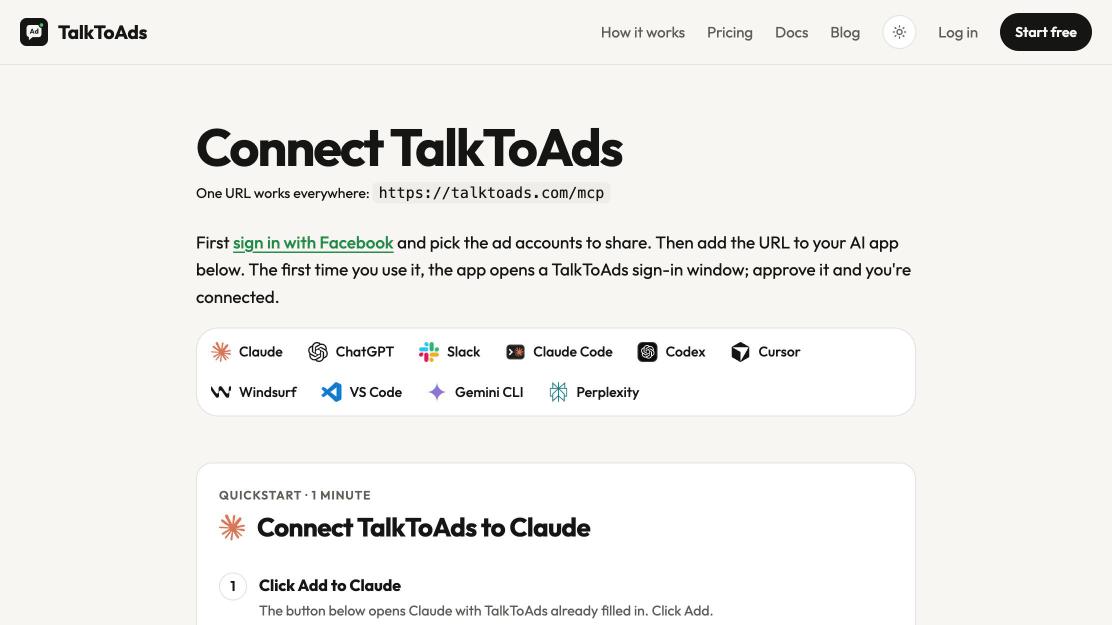
Once it is connected, Claude has a small set of actions it can take. In my case: read performance, pause things, change a daily budget, search for interests to target, boost an Instagram post, create a campaign, audit the account, and set a spend cap. Honestly, that list covers most of what I would have paid a junior media buyer to do.
If you want to watch the full thing on screen, from an empty ad account to a live campaign, I recorded it in the full walkthrough.
The 2-minute morning check
I do this every morning before anything else. Here is the prompt, more or less word for word:
Look at all my Meta campaigns for yesterday.
1. Anything that spent money with zero purchases, list it.
2. Anything marked ACTIVE that spent nothing yesterday, list it and tell me why.
3. Any ad set with an end date in the next 48 hours, list it with the date.
4. Give me ONE action you would take today, and wait for my yes.
Every line in there is a mistake I already paid for.
Line 1 exists because my first cold ad got 123 clicks and zero sales. Nothing was broken. It was a traffic campaign, and a traffic campaign does exactly what it says: it finds people who like clicking. I only saw it because I asked directly instead of admiring the click count.
Line 2 comes from a mistake this month that cost me a few days of sales. I had a sale running until a Wednesday. The ad sets for it had an end date set to the Sunday before. On Monday they still showed as ACTIVE in the campaign list, so at a glance everything looked fine. But they had spent nothing since Sunday night, and the daily revenue from that offer fell off a cliff. "Active" in Meta means the campaign is switched on. It does not mean it is delivering. Now Claude checks for exactly that mismatch every morning.
Line 3 is the fix for the same problem, one step earlier. Whenever the date of an offer changes on my site, the ad set end date has to change too. Claude flags anything ending soon and I extend it if it does not match the offer.
Line 4 is the discipline. Ten suggestions means you do none of them. One action a day, approved, is how the account actually gets better.
What a normal conversation looks like
Here is the kind of call I mean. On my newest ad account I had two things running side by side: a test of five image ads and a campaign built on a reel that had already sold.
I decided to put the budget behind the reel. So the image test went off and the reel campaign kept running. In a chat that is one sentence: "turn off the image ads test, keep the reel campaign as it is." Claude shows me the change, I approve it, and that is the whole job. This is the account right after that call:
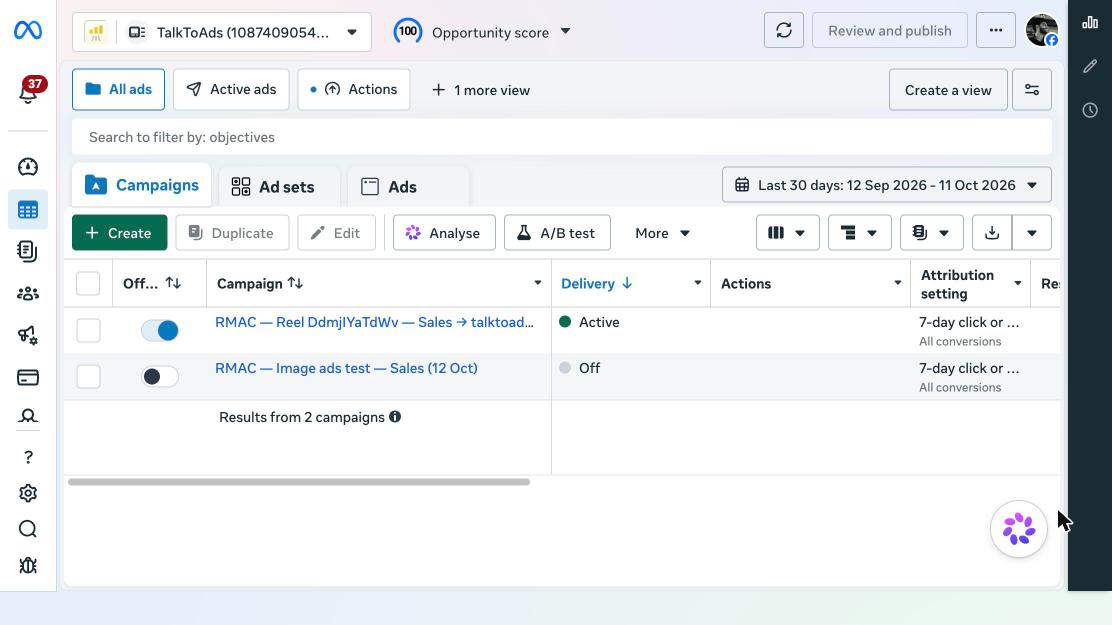
That is the whole interaction. Claude is not some genius media buyer here. What I get out of it is boring and valuable: the check happens every single day, so a bad ad gets paused on day two instead of day nine.
Launching a new campaign from a chat
This is where I am most careful, because one bad launch can spend the most money in one move.
My rules:
- Start from something that already worked. I almost never launch a brand new creative cold. I take a reel that already did well organically and turn that into the ad.
- Optimize for purchases, not clicks. I tell Claude this explicitly in the prompt, every time. Left alone, a lot of setups default to traffic or engagement, and you are back to 123 clicks and no sales.
- Small daily budget, fixed test window. I give a new campaign a modest daily budget and a set number of days. If it has not made money by the end, it gets paused. That rule is decided before launch, not after I am emotionally attached to the ad.
- Everything starts paused. Claude builds the campaign, the ad set and the ad, and they are created in a paused state. I look at the preview, check the link and the targeting, and only then switch it on.
The prompt is boring on purpose:
Create a sales campaign optimizing for Purchase on my pixel.
Daily budget: ₹1,000. Country: India. Age 18+.
Use my latest reel as the creative, with the same caption.
Send people to the landing page for this offer, not my homepage.
Create everything PAUSED and show me a summary before anything goes live.
The landing page matters more than the ad
The most common mistake I see, and one I made: sending an ad to a homepage. A homepage is written for everyone. An ad is a promise to one specific person. The page they land on has to continue that exact promise.
This is the page my current reel ad points to. Same promise as the reel, buy box on the first screen.
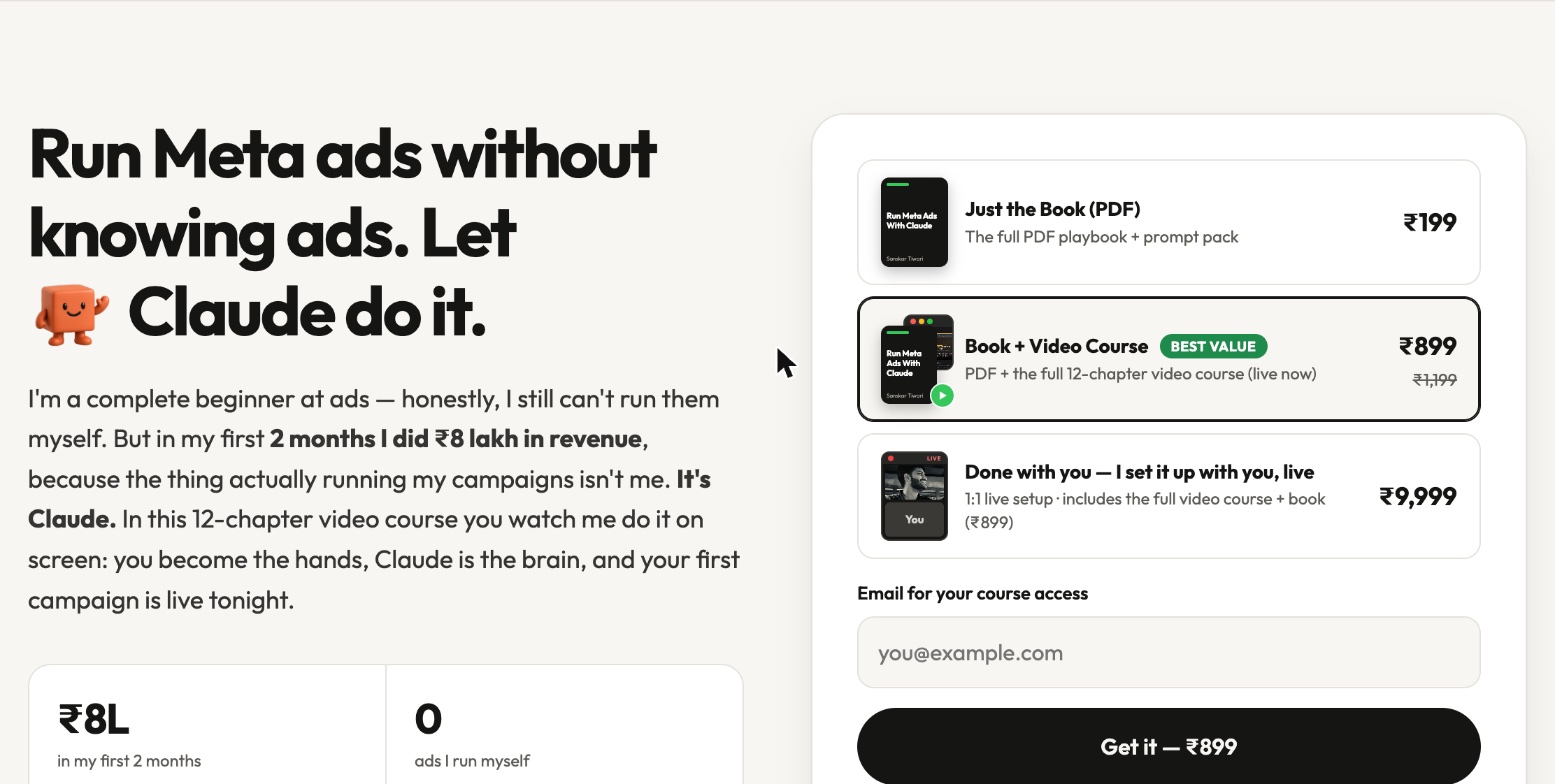
So every ad I run points to its own page, written for that ad. Same headline idea as the reel, same offer, one button. I build those pages with BuildCheap, so making a new page per ad takes minutes rather than a day, which means I actually do it instead of reusing the homepage. If you want the general approach, I wrote up how I make landing pages with AI.
Two page-side things Claude cannot fix from the chat, so get them right once:
- The pixel has to track purchases, not only page visits. If Meta only sees visits, it cannot learn who buys, and optimizing for purchases does nothing.
- The price on the page has to match the price at checkout. Any surprise at checkout kills the sale, and no amount of ad tuning fixes that.
The guardrails I would not skip
Giving an AI access to an ad account is giving it access to your card. Treat it that way.
- Approval before anything goes live. New campaigns, budget increases, reactivations. Nothing changes without a yes from me in the chat.
- A spend cap. I set a ceiling on how high any single daily budget can go. Even if I approve something carelessly at 1am, it cannot jump past that number.
- One ad account per product. I keep separate ad accounts for separate products. It keeps the data clean, and if one account gets restricted the others keep running.
- Read before write. The morning check is read-only. Claude only changes something after it has shown me the numbers that justify it.
- Don't let it chase every wobble. Meta needs a few days to settle after an edit. I tell Claude to leave anything younger than three days alone unless it is clearly burning money.
What I would do if I were starting today
If you have never run ads and want to try this approach:
- Pick one product and one offer. Not three.
- Make one landing page just for that offer, with the pixel tracking purchases.
- Take your best performing reel or post and use it as the creative.
- Connect your ad account to Claude, either through the browser or through a connector.
- Launch one sales campaign, paused, review it, then switch it on with a small daily budget.
- Run the morning check prompt every day for two weeks. Approve one action per day.
Two weeks of asking specific questions about your own numbers teaches you more than a month of tutorials.
I still could not tell you off the top of my head what a good CPM is in my niche. I have stopped feeling bad about that. What I need to know is whether the ads make more than they cost, and what to change tomorrow, and I get both from a two-minute chat.
If you liked this kind of workflow, I used the same "ask Claude, approve, let it do the work" pattern to reply to 446 old Instagram comments in one go.