Connect the Meta Ads MCP to Claude Code
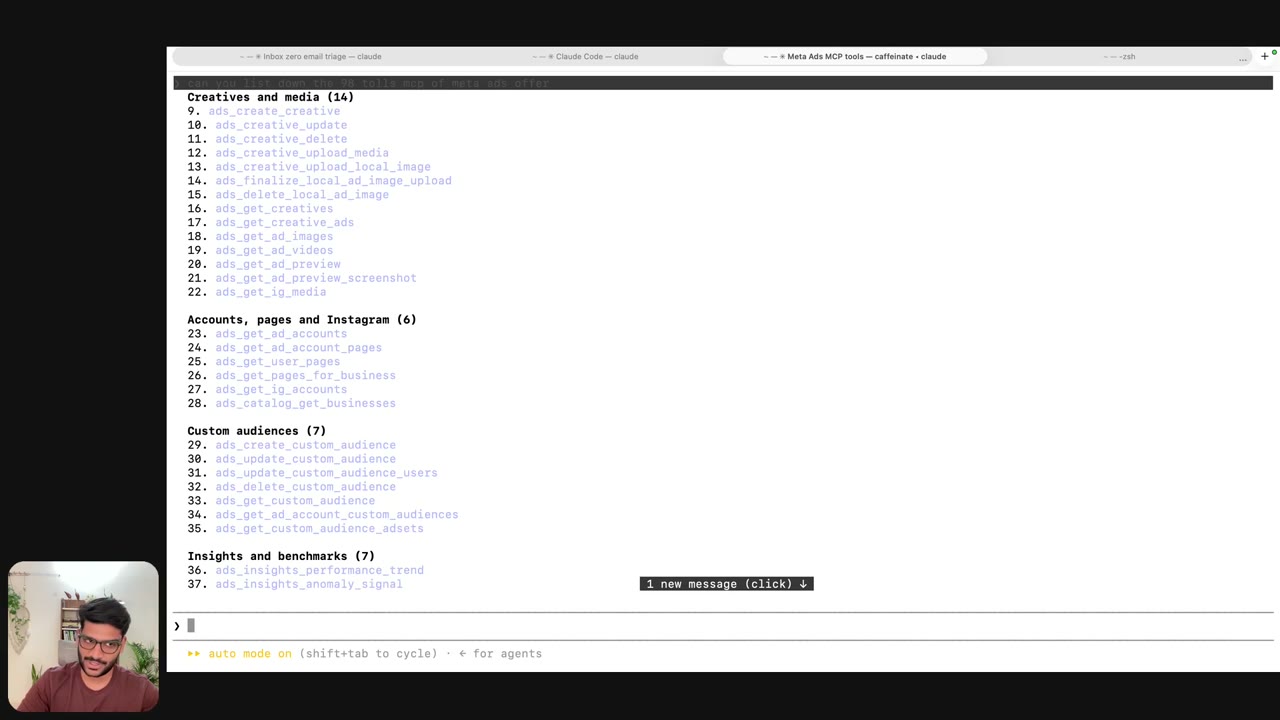
3:00Meta has launched an official Ads MCP, so Claude can work with your ad account directly instead of clicking through the browser. One command adds it, /mcp shows “Needs authentication”, and you log in to Facebook once and approve Claude. Then I ask Claude to list everything it can now do: 98 tools across campaigns, ad sets and ads, creatives, pages and Instagram, custom audiences, insights, pixels and catalogs. Make sure you’re already logged in to Facebook in your browser before you click Authenticate. The login is blurred and fast-forwarded (marked ▶▶). The command (paste into Terminal): claude mcp add --transport http meta-ads https://mcp.facebook.com/ads -s user Then run: claude Type /mcp, select meta-ads, Authenticate, then Continue on Facebook. The prompt I used: Can you list down the 98 tools the Meta Ads MCP offers?
Transcript preview
So, uh, what we are going to do is today I'm gonna show you how to use Meta Ads MCP. Now, this is something which is, uh, very beautiful because, uh, I have showed you how to run, uh, Meta Ads using Claude Code. But the thing with Claude Code is that, um, it-- you still have to use the browser, right? So Meta has officially launched, uh, an option for you to connect. So here's what we are going to do. Okay, so we have a Claude session open, but we'll just create a new Claude session and paste this command. You can find this command in the section below. I'll hit enter, and what this will do is it'll add that. So it's saying, "Added h-- uh, MCP server." Now, to confirm its existence, you just go on Claude, click yes, click on /MCP, and there you'll be able to find Needs authentication. This means you're-- it's literally connected, you just need to authenticate it. So you just hit enter, click authenticate. I'm on my, uh, another profile. I'm gonna go to the profile where I, I have, uh, Facebook logged in. So I'll just go Facebook. Uh, just make sure you're pre, uh, logged in, so I'm all ready. It has my credentials. I'm going to log in there. Uh, I can use my password. I'm logged in in here, and what I'll do is I'll go back here, and now I can click on authenticate. So it's, it-- this will be basically opening it in the browser. That's why I pre, uh, checked that I'm logged in. So once it do-does that, you can see a local app, which is, by the way, Claude code. Reconnect Claude to Meta MCP server. You click on continue, and authentication is success-- uh, successful. And if you hit enter here, you can now check that back again. You see it's showing ninety-eight tools. So your MCP ads have ninety-eight ways or ninety-eight things to do.…
The full lesson — video and transcript — is part of Run Meta Ads with Claude.
Get Run Meta Ads with Claude →