Set up the Meta pixel & test it
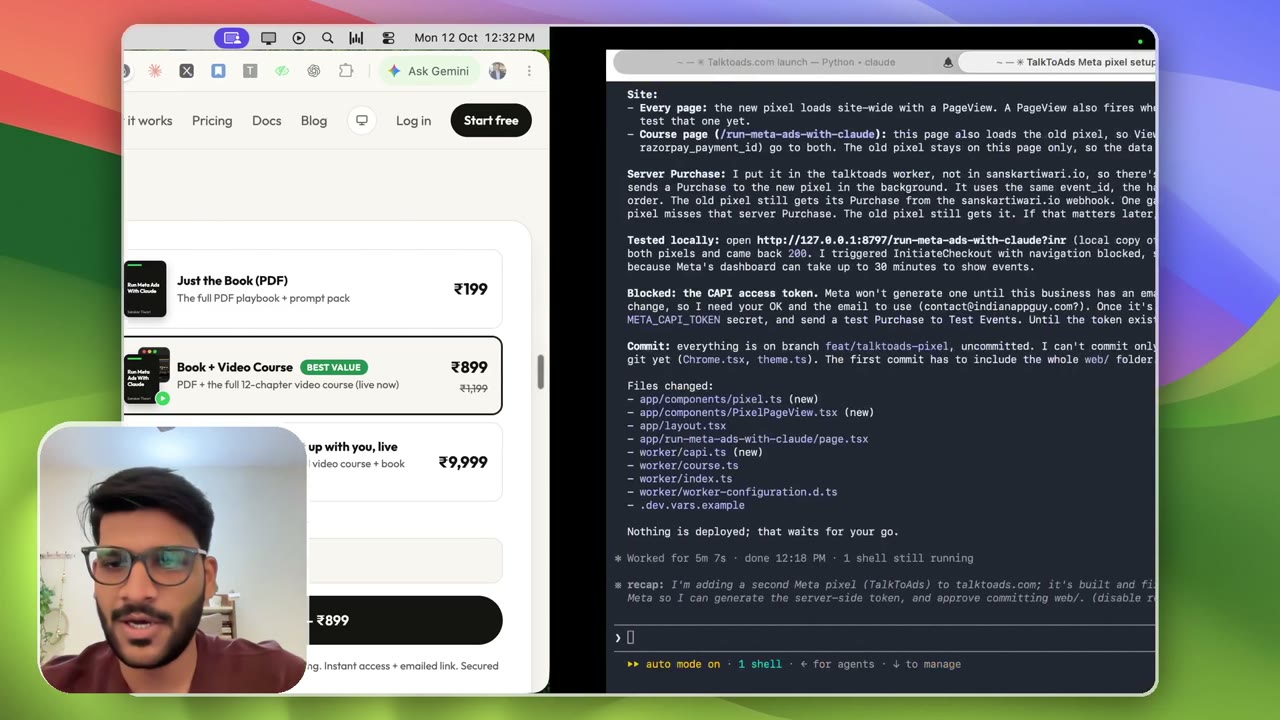
3:46Ten minutes in, we have an account that can run ads. Now the pixel, so Facebook knows when a sale happens. I hand Claude a screenshot of the new account and it wires the purchase event (browser + server) into my site, deploys, then tests it. WordPress, Shopify or custom, the steps are the same: save it on your platform, then ask Claude to test. Plus the Meta Pixel Helper extension to see which events any page fires. Meta Pixel Helper (Chrome extension): https://chromewebstore.google.com/detail/meta-pixel-helper/fdgfkebogiimcoedlicjlajpkdmockpc
Transcript preview
Okay, so I have added the funds, and now it's time for action. So, so far literally within five, I think ten minutes, we have been able to go from, um, no accounts to literally a new account where we can run ads. Okay. So, uh, what, what is next? Now we need to set up Pixel. Now, for this particular step, it's very customizable in a sense. It depends on how your website is. Like, let's say if your website is custom-made, then perfect, Claude Code can definitely handle it for you. Uh, even if it's like kind of deployed, Claude Code can still work but can look different because again, it's gonna control a browser, um, in different ways. So I'll be setting that quickly up. So this is my website, uh, and it's-- it was going to set this up that I mapped the Pixel code purchase event or order verification, um, is in, uh, in the product. So I'll take a look. So I'll just, uh, mention I just created the ad account, and I can give it a screenshot or whatnot. Um, maybe I can give it this, and I can give it TalkToAds over here. And again, now it can literally figure out the details what it needs. Uh, so it was saying something about the IDs and everything which it needs. It'll be able to just use that URL, the account ID and everything it has, uh, that saved to memory. Um, so of course, now it's gonna continue with the Chrome. As you can see, the reload and everything has started, and now it's gonna do the events, uh, connection. So this is how Okay. Uh, so a lot of pixel setup has been done. So you see it's created wired, um, server purchase. I put in TalkToAds worker node in this sys- this is again, the back-back-end thing, right? That's why I was saying, uh, it'll depend, uh, on site to site, uh, depending on where your site is hosted. Um, this is again telling me code changes, but I'll be just like, let's deploy. And then I want you to test. Now, whatever the platform you are on, it can be WordPress, it could be Shopify, uh, it doesn't matter.…
The full lesson — video and transcript — is part of Run Meta Ads with Claude.
Get Run Meta Ads with Claude →