Connecting Claude to Chrome
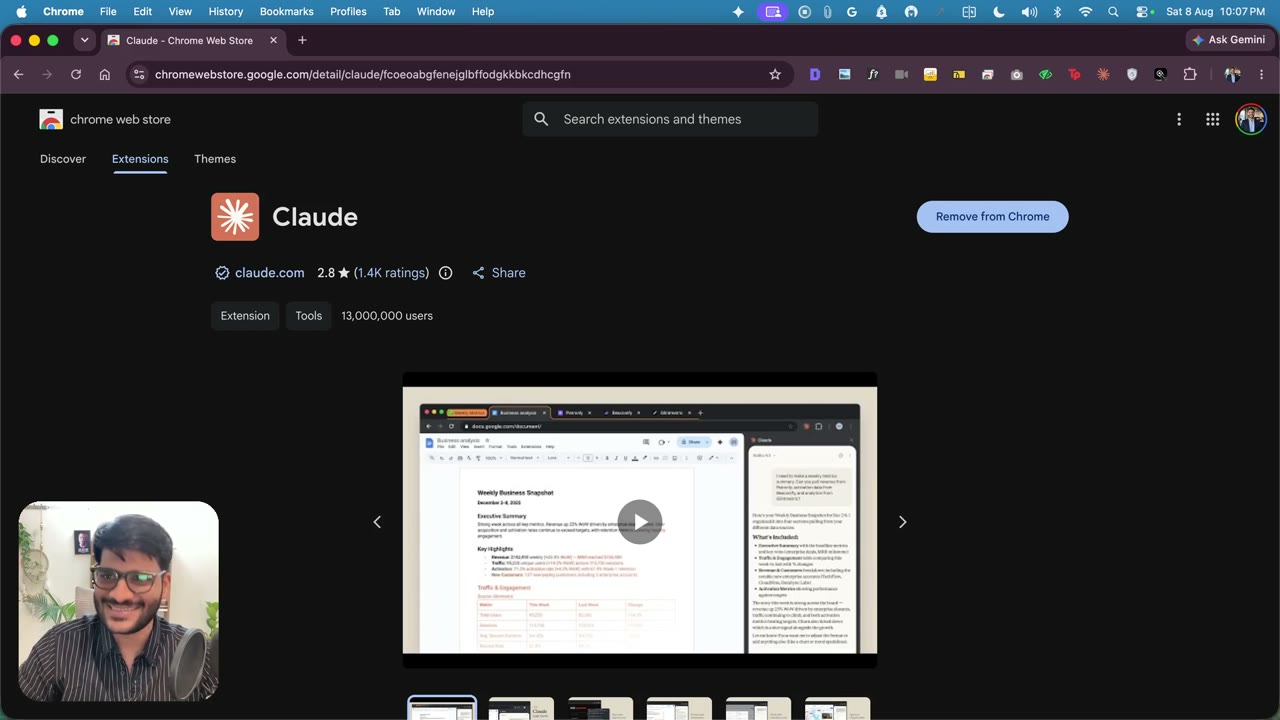
3:09This is the piece that lets Claude actually click inside Ads Manager for you. I give Claude control of your browser: open Chrome, add the Claude extension from the Chrome Web Store and pin it, then run “claude” and “/chrome” to reconnect the extension. I show it live — asking Claude to open magicslides.app — plus the allow/deny prompts and how to stop them. Claude for Chrome extension: https://chromewebstore.google.com/detail/claude/fcoeoabgfenejglbffodgkkbkcdhcgfn
Transcript preview
So so far I'm expecting you have already set up this Claude into your terminal now What we are going to do is we are going to finally give Claude an access to the chrome So how I do that is by first opening chrome And I'll personally open the profile. This is so many profiles I have but you can just visit Claude chrome Extinction as simple as that then click on the first option This will give you two options of like to add it to the chrome which I will do I have already done that So it's showing me the option to remove if you already don't have it Then it will show you the ad do click on that blue button once that is done You should see that beautiful icon there. I have clicked on pin so that it stays red then going inside Then I'll open the terminal again, and I'll write the beautiful five letters Which I write every single day at least 10 to 20 times and it did its thing I think it kind of launched or something and why it happened But it's saying the Claude in Chrome works with the Chrome extension. Don't worry about it I'll show you how to connect so you just type Chrome, and then it'll say okay How do you want and you can see for me? It's enabled because I'm already using it I actually made a previous video and that had to make this again, but the point being you just have to click on the Reconnect extension and it'll just basically launch come back and you'll have it connected if you face any issue over here You can just reach out to me and let me know and once that is done now you can ask open magic slides dot app website and Help me create my first presentation So it can drive a lot of things. I'm not gonna do a lot of something. Which is not related We are actually going to see how to run ads Not just driving some websites. I'm just gonna give you a quick glimpse of what's actually possible So by the way a lot of people actually use a lot of skills I have not been doing that so I will not be the guy who's gonna tell you until I'm using them…
The full lesson — video and transcript — is part of Run Meta Ads with Claude.
Get Run Meta Ads with Claude →