Track every sale with UTMs (DataFast)
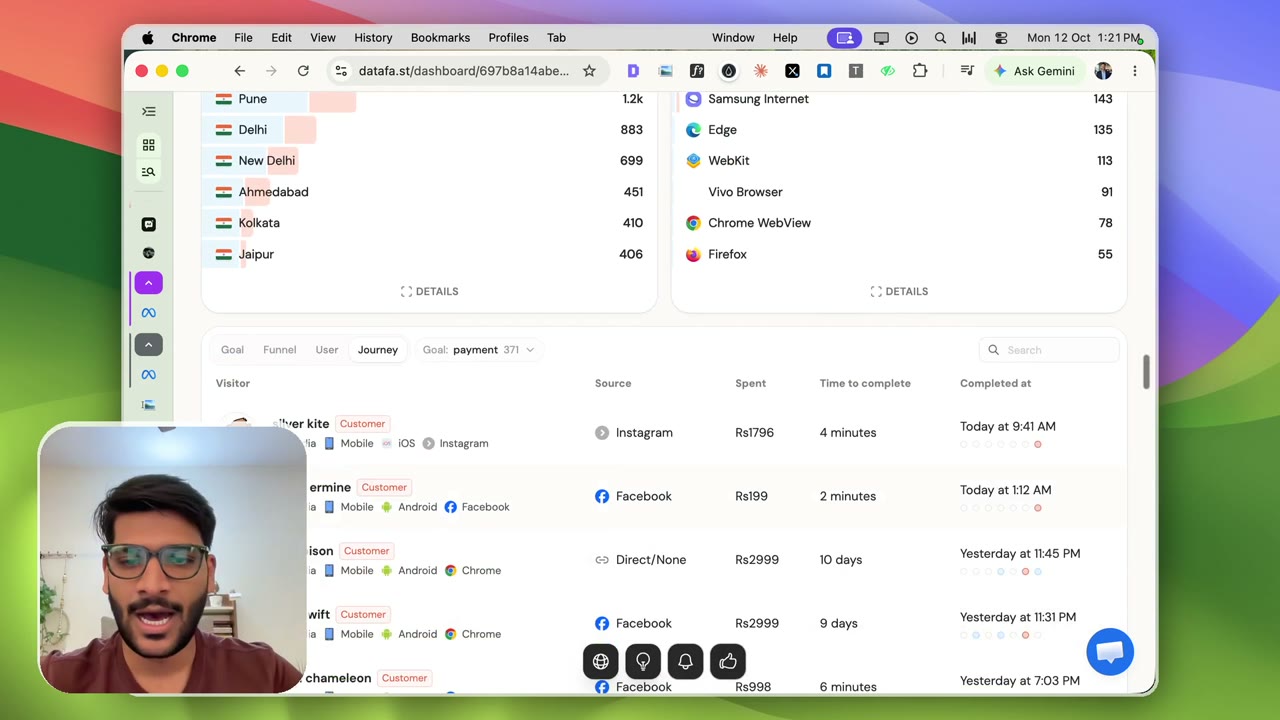
1:08Claude adds UTM tags to every ad link. Here’s why: in DataFast I can see revenue by city, browser and source, and open a single buyer to see which exact ad and campaign brought them. Facebook vs Google vs Instagram, no guessing.
Transcript preview
So we have this analytics. This is a platform which is called DataFast, and it helps you keep track where exactly your revenue is coming from. So it combines Google Analytics with revenue. So you can ac-exactly see that India, this much revenue, this particular browser, this much revenue. You can see it in map, you can see it in region, you can see it in city. So my-- a lot of revenue is coming from Bangalore, Hyderabad, Mumbai, Chennai, then Pune, then Delhi, and so on and so forth. Um, you can literally see each user. I'm gonna blur their email later, but you can see that, um, this particular person came from a particular reel ad. So it has meta source. It has source that it is a paid ad. It has a campaign as well, mention name, campaign content, and terms. So this way, I can literally keep track that I'm getting this sale from Facebook, I'm getting this sale from Google, um, uh, and a lot of platforms, um, Instagram direct, Facebook direct, Instagram. So direct is basically when it's not able to track, then it says it's a direct person who just came to your website. Uh, but it has my connection with Google Search Console as well, so it can detect that as well. Again, this is another paid customer…
The full lesson — video and transcript — is part of Run Meta Ads with Claude.
Get Run Meta Ads with Claude →