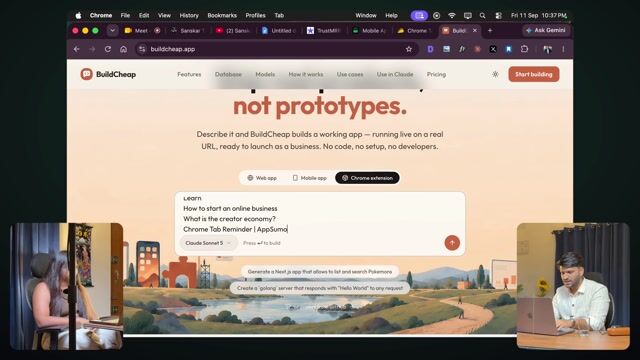
Building a Chrome extension live: Tab Reminder
10:30Tab Reminder, built live from one prompt. Loading it into Chrome and trying it.
Transcript preview
Yeah, all the models are being added into this so that you don't have any issue with models. Whatever comes out, it's very recent. So okay. So what do we do now? We'll copy all this — literally I'll copy the whole text and paste it. Now again, that's the benefit — you have to log in here, set up an account and all that, it's simple, and you're right there on the homepage. Nothing complicated. You simply went and sent it. So what's the deal now? That's the benefit of using a good model. I didn't have to describe everything or search like that. I can just be like, 'this,' and it already knows my job is to get it done, right? That's exactly what the platform is for. So you can just give it like that, and now let's see how it summarizes things. We can always give feedback. By the way, building a Chrome extension is so easy — once it gives us the code here. Now if you build a web app, where do most people struggle the most? Deploying it. I have to set up a domain, and I realized that people are really — and when I started out, I sold more than $500 without even having a proper domain. You know what my domain was? Blur-dash-web-dash-blur-dash-my-dash-page dot web dot app, which you get for free from Firebase. Correct. That's exactly what I couldn't figure out. The domain wasn't connecting, this and that, and while sales were happening, I was stuck there. But the point being — this is also a question in your mind, like, 'man, I'll have to buy a domain too.' No. You don't have to buy anything. Don't limit yourself. Otherwise you're holding yourself back. When I started selling, I hadn't bought the domain. Even after buying the domain, I still couldn't get it set up, because — I'm talking about the technical level back in the pre-AI era. I wasn't able to set up login/sign-up in the Chrome extension. So there's one more thing about Chrome extensions. What can you do? You can create a Google Group. Add someone to it. Through that you can provide quite fast access. So what happened then? I built a Chrome extension. I didn't know how to set up login/sign-up, so how would I check who's paid and who isn't? So for that, you can create a Google Group. In the Google Group, give access to that person's email. Then he will be only able to see on Chrome. Okay. And nobody else will see it. This is much simpler. And login/sign-up is avoided too. Correct. Okay. So I'll quickly take a look.…
The full lesson — video and transcript — is part of Vibe Coding.
Get Vibe Coding →