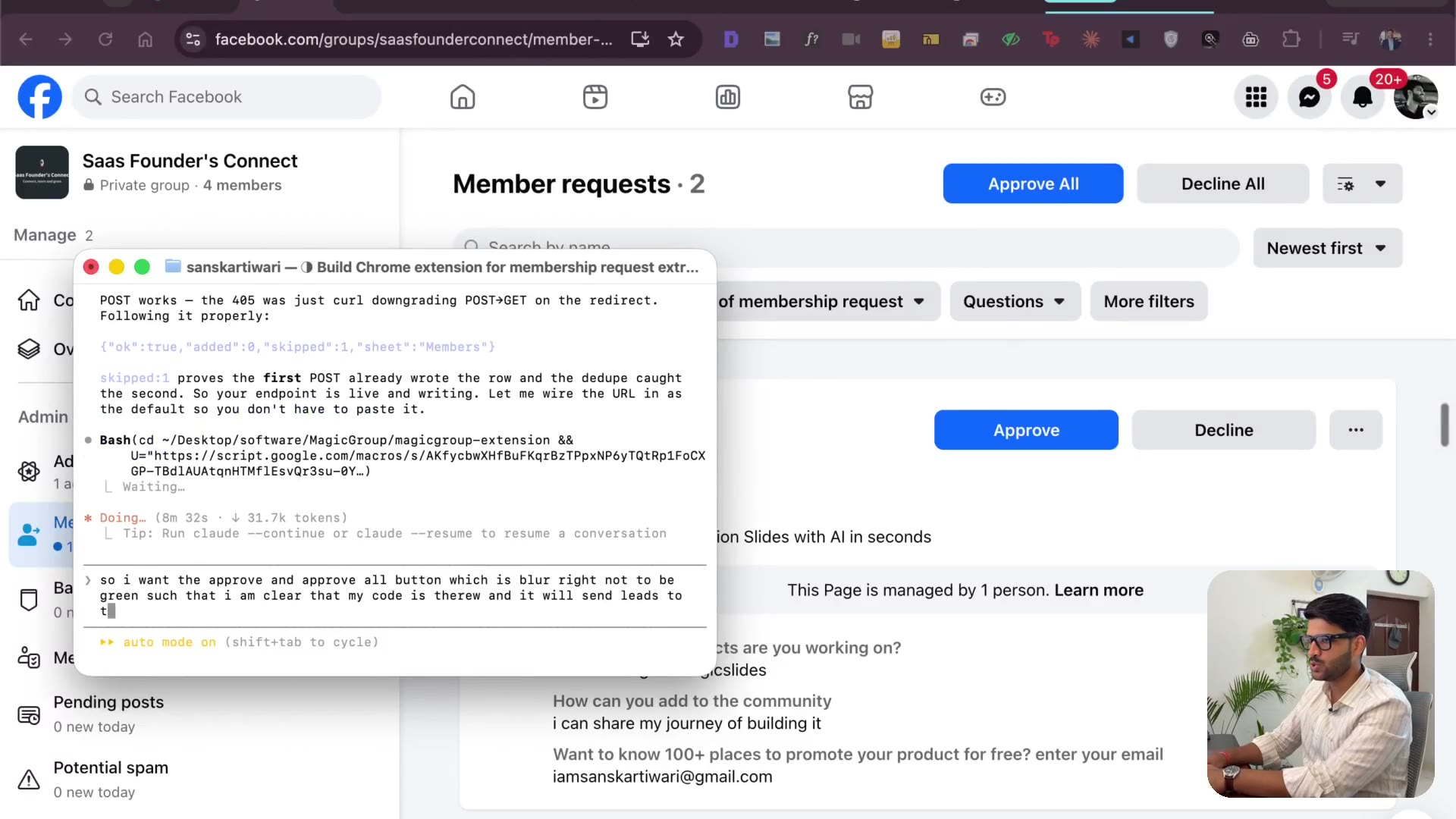
Load unpacked — the extension running in Chrome
3:48chrome://extensions, developer mode, load unpacked, pin it. It's live in my browser. I change the button colours so a user can tell it's working, and switch to asking for the Google Sheet URL instead of the ID — because nobody knows what an ID is.
Transcript preview
it will send leads to the Google Sheet. Now I had this theory where I want to make sure that it's clear for people to identify if it's gonna be working or not. So right now you can see the buttons are blue and I thought was like, how do I even know as a customer, as a user of Magic Group that it's gonna actually send that to Google Sheet. So what I'm asking is to change this button color to green so that we can know that the script is loaded. Basically the big Chrome extension work, they just inject JavaScript into your existing browser code. Okay, one more thing is there. I, we haven't added the extension, brother. So we need to go to manage extension. We need to click on load and pack. Then I'm gonna search for the code of this one. So we have the code over here. So I'm gonna click on reveal and finder, right? And then you need to select it over here. Then you'll be selecting the manifest file. I think you should be able to select that. Extension loaded. You see, we have Magic Group, Facebook Group extractor, extract Facebook membership request and push them straight into Google Sheet. Guys, it did that. By the way, if you wanna change that, it's all in the manifest. I know every single file of this, background, JS. This basically, again, there are details, but you're not a developer. I'm not here to teach you code. I'm here to teach you how to build stuff. So it's here. What you can do now is you can pin it like this. So it's visible directly over here. And you should be able to go, you see, it's able to send the request and it got all these information. It got the time, it got the group name, it got the group URL, it got the name, it got the profile URL, email, phone, just a connection test, test. I think it did one more thing. I'm gonna name this My Leads. Now here's the problem, guys. We provided our own Google Sheet, right? We want people to be able to provide their Google Sheet.…
The full lesson — video and transcript — is part of Vibe Coding.
Get Vibe Coding →