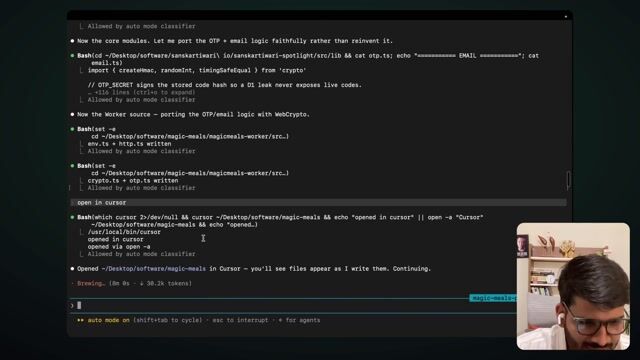
Git and GitHub: never lose your code
2:51Why every project goes on GitHub, and watching the files appear in Cursor.
Transcript preview
Yeah. So it's, it's kind of writing these files. So because I know the structure, how it looks like, I was instantly able to see that, hey, this is not done. This is not a full Flutter app. Still doing its job. But, there's something called Git, GitHub as well. So, basically it's Git, but GitHub is the way where you use Git. so like I think, when I started with Play Store, this is like four years or whatever, initially I was not aware of Git. So what I used to do is whenever I have a good working product, I'll just, zip that folder, save that separately, and then I'll be like... And then later on I realized, oh, there's something called Git where you can kind of save all of that changes, even for even small text changes, and you can have that whole summary. I was like, It's much easier. So again, like I will, I know these, these are very small, simple things But if you don't get started with them, later on you'll struggle. So you can quickly get to know about Git. Git will, help-- Git is the way how you do that, and GitHub is the company which kind of is the most popular for doing it. GitHub is own, owned by Microsoft, so, good hands, not, issues as such. And, yeah. So I'll just quickly come back. It's highly recommended to create a GitHub account whenever you're doing any part of coding. it is just a sign-up away, but it will make sure your code stays safe. I run my whole business from the laptop, and code is my main priority. Once, like, my laptop got fully cleaned, like, it was like-- I don't know what happened, but it was not working, and then they had to clean everything. I was very sh-- I was, like, okay, if I would not had everything on GitHub na, even my small projects, I would have regretted it a lot. So always try to do that. Whatever happens, you at least have that code there. it will always come handy. So it will take just two minutes of time, but before we proceed, make sure you set up the GitHub thing. once you do that, you'll be able to log in inside whatever you choose. So I'm using Cursor over here. So just install Cursor. It's just a file you install, dmg and this, or the exe. You just install that, and you can then log in with your GitHub account.…
The full lesson — video and transcript — is part of Vibe Coding.
Get Vibe Coding →