Building the landing page with AI
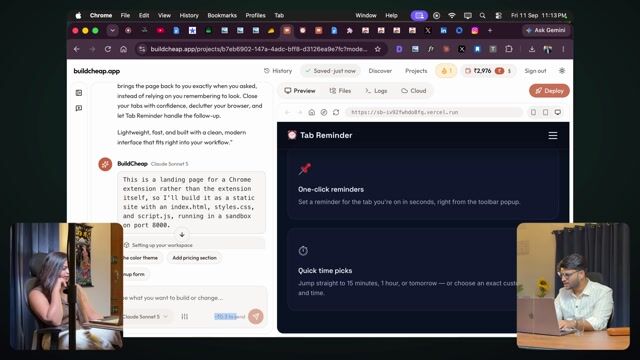
12:53A landing page for the extension, built and deployed with AI, colours and all.
Transcript preview
A small HTML got made. Correct. You can directly- it made it. Now it has built this whole thing. Get reminder, add to Chrome, see how it works, etc. — it's done all that. Now here a suggestion comes up: how to make your website look-- not look like AI generated. If you click on this URL, it'll show you a URL. This one you shouldn't use. On Vercel- the Vercel deploy backend sandbox is running. You'll get that full URL for it. So here if I click on deploy. Because this is the local one. This is the URL for when it's running. Here you get a URL. Hmm. But again, now the question comes up: how to make your website not look like it's AI generated. Hmm. So first, you need to make sure that gradient is used less. Hmm. Gradient, blue color, right. And even I feel one more thing you can do, which I'm trying right now, is getting rid of the border radius. Hmm. Because usually what happens is, you'll see every AI-based website has a lot of gradient. Hmm. They love putting gradients in. Hmm. They really like the blue color. A lot. Right? Purple. Purple, blue, or whatever shades of those- correct. They really like it. Hmm. And there's a new level of AI coming now. Hmm. When you move away from blue, it's starting to go orange. Yeah. That is new AI generated- kind of. Kind of thing, right? So you can do that too. So here I'll tell it, I want to get rid of gradient. Hmm. And blue color. Color of choice- gradient, border. Any suggestion on which color to keep here? Hmm. Call to action, or any dark color. I'd literally- green. Green, yeah. I want to get rid of the gradient and blue color. Cyan color. Which one? Sand? Hmm. Okay. No, cyan. Yeah. I want to use cyan as primary. Hmm. Primary basically means what the buttons etc. will be, and make it light mode. I'm saying light mode because a lot of people who are developers or like that, they're all dark mode, dark mode. Hmm. But usually it's better to start with light. Light mode. So I'll say light mode. I also want to get rid of border radius.…
The full lesson — video and transcript — is part of Vibe Coding.
Get Vibe Coding →