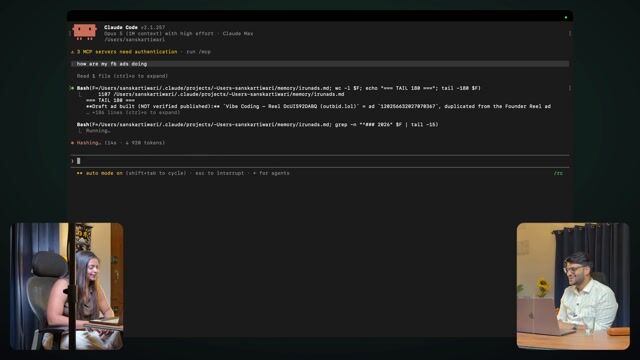
Running Facebook ads by chatting with Claude
7:59Asking Claude how my ads are doing — and running them — without opening Ads Manager.
Transcript preview
Done. Now you don't even need to add Chrome for it. How are my ads going? It tells you right here that this and that is happening. Then I'll tell it and it'll even tell me what to do. It'll be like, these ads aren't bringing results. Yeah. Turn this one off. Results are coming from this one, increase the budget on it a bit. Most of my job becomes just going and adding balance there. That's it. Done. So now in this, two- how did you connect this directly via MCP, well? You don't even need to do MCP initially. Initially I hadn't done the MCP. I did MCP kind of out of fear, because what happened was, I saw a post where they're saying that if you're controlling it via Chrome, Facebook will do this, shut it down. Touch and paste in MCP. Yeah so I said, let's get on MCP too. I use a combination of both. Hmm. So MCP handles a lot of things. But when you're getting started, you'll get stuck right there — you did MCP, but creating an MCP account, all these things, that also doesn't happen easily. Hmm. How to select the image and creative, and everything. And when it does it right in front of you, it's a different kind of fun, when you're seeing it live, like one. So a lot of things have already happened here with me. What it's doing right now, you can see, I run ads, MD. Here something- right now tell me, how did you connect your ad-running account to this? It connects via Facebook, literally login. It's Facebook login. Oh okay, the whole thing. Facebook. Okay. So when you set up MCP. You take the whole thing right from login itself. It's very simple, you know, let me show you — Facebook ads MCP, you'll put in one line, let me put it here. It says "developers" but no, anyone can do it. Here, one second, the same CLI thing like we looked up for Claude Code. Hmm. Same thing. Let's take a look. I have the full setup for this. I'll give you the link. You put that in the description below. I'll put it in the description, yes. I've literally put the full steps in there. What to do, click, click — there's one link. It's not a link, it's a text, just like the CLI one was. Same Claude. You'll paste it, hit enter, and a "connect" option will show up. How to connect. You'll hit enter on login. Hmm. It'll give you the Facebook login directly — continue, continue, continue, approve, and now you have it. Now why is mine here taking time? Because look from the top. You don't need to understand coding at all.…
The full lesson — video and transcript — is part of Vibe Coding.
Get Vibe Coding →