Testing it, and two extensions from one prompt
9:27Fixing what the first version missed, and how two extensions went live from one prompt.
Transcript preview
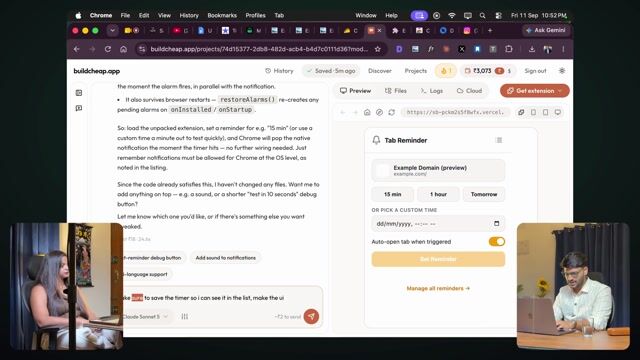
Okay. So we just built this, the UI and so on. Okay, this is how it turned out. But of course, first of all, there are two things. I don't want to overthink it right now about how to make the design and all that. So I'm like, okay, let's just go with that. So what you can do is you can copy the images. Here I took this screenshot, I took it from this one. You can take the screenshot however you want, you just need to take it. You provide that image directly. Okay. Yeah. So I'll just give this image. You can also upload it, that's an option too. Again, what happens by giving an image is you get a bit of clarity. Correct. So I'll just provide this image and say, umm, make it exactly simple like this. Because again, now if you want, you can make it a little complicated, like okay man, no, my UI will turn out even better. One second, let's start a new chat for this. There's one more thing to this. What happens is if you keep talking on the same chat, your context keeps growing. Even though it's summarizing, the cost still increases. Correct. So you'll see here, when you paste an image- yeah. It tells you that this much cost will come. It's showing point four. Okay. So what this does is at every point you understand, like okay man, how much- how to optimize this. Correct. Because as soon as you start doing it in bulk, you want to be able to know how much to do. Yeah. Can you make sure the UI is as simple as this? Yeah. And you can also mention here that, again, if someone wants to save cost, it's not that complicated to explain here. All we are trying to do right now- before this the UI was quite complicated, right now there are plenty of options, it's good too, but this example one is showing it. Or let me simplify this further, it'll be done quickly. Remove this example domain preview. Yeah. It's already showing up as a pop-up, the pop-up is already coming. Yeah. Okay, it did the color and all- You're saying something about a notification. Yeah, the notification pop-up should come, right. So remove the example domain preview. Otherwise it's fine, it's showing its own time and all that. Auto open tab when triggered. I think it put something on a tab…
The full lesson — video and transcript — is part of Vibe Coding.
Get Vibe Coding →